Real‑World Mesh Wi‑Fi Case Study
See how I turn spotty Wi‑Fi into whole‑home reliability with professional mapping, proper AP selection, and validated results.
From Floor Plan to Validated Coverage
I document the environment, capture a before heatmap, engineer AP placements, then verify the after results.
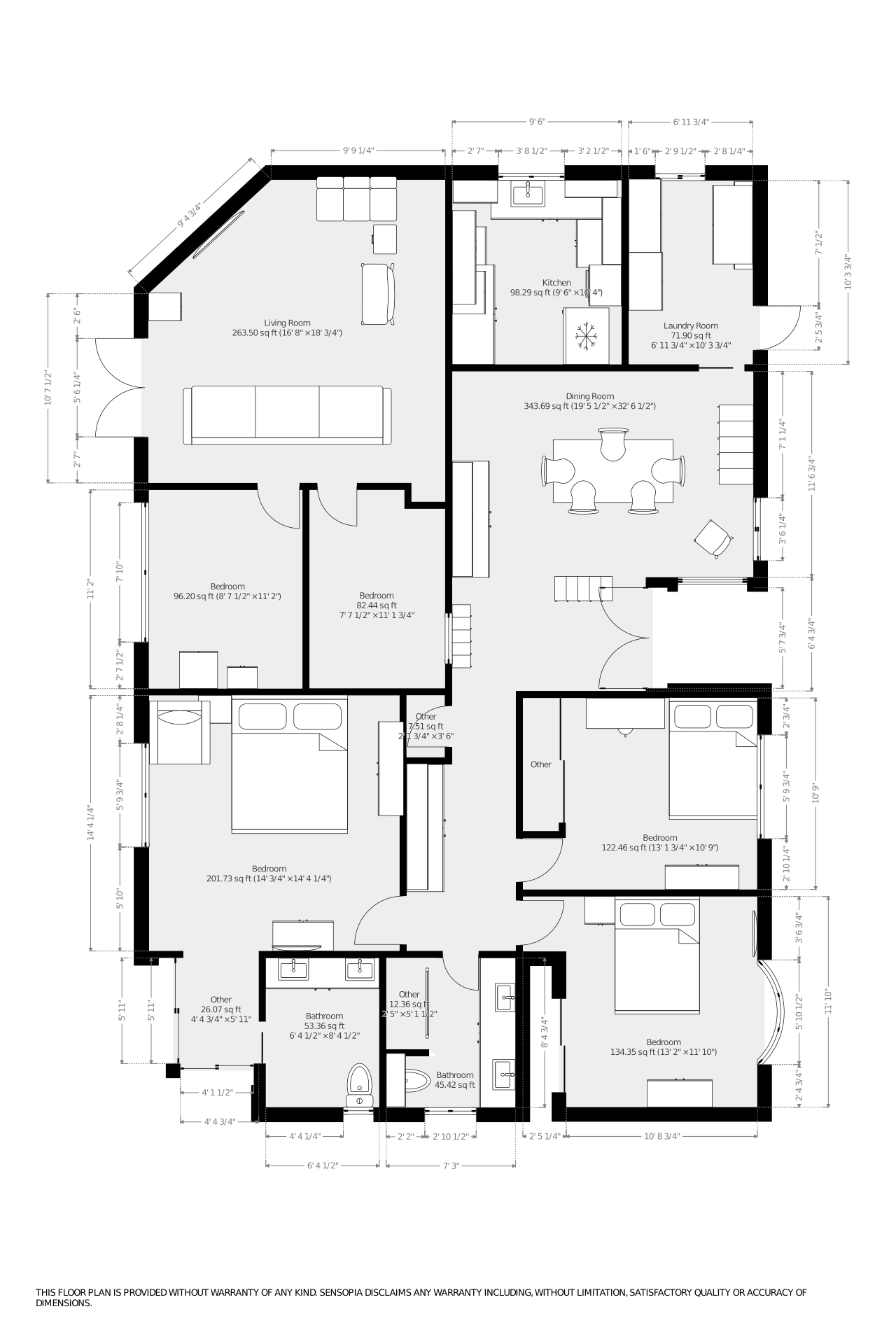
I begin by creating a clean floor plan for accurate modeling. Here is an example of the kind of floor plan I create for clients.
Client Site Map / Floor Plan
Created for modeling and survey mapping before any Wi‑Fi work begins.
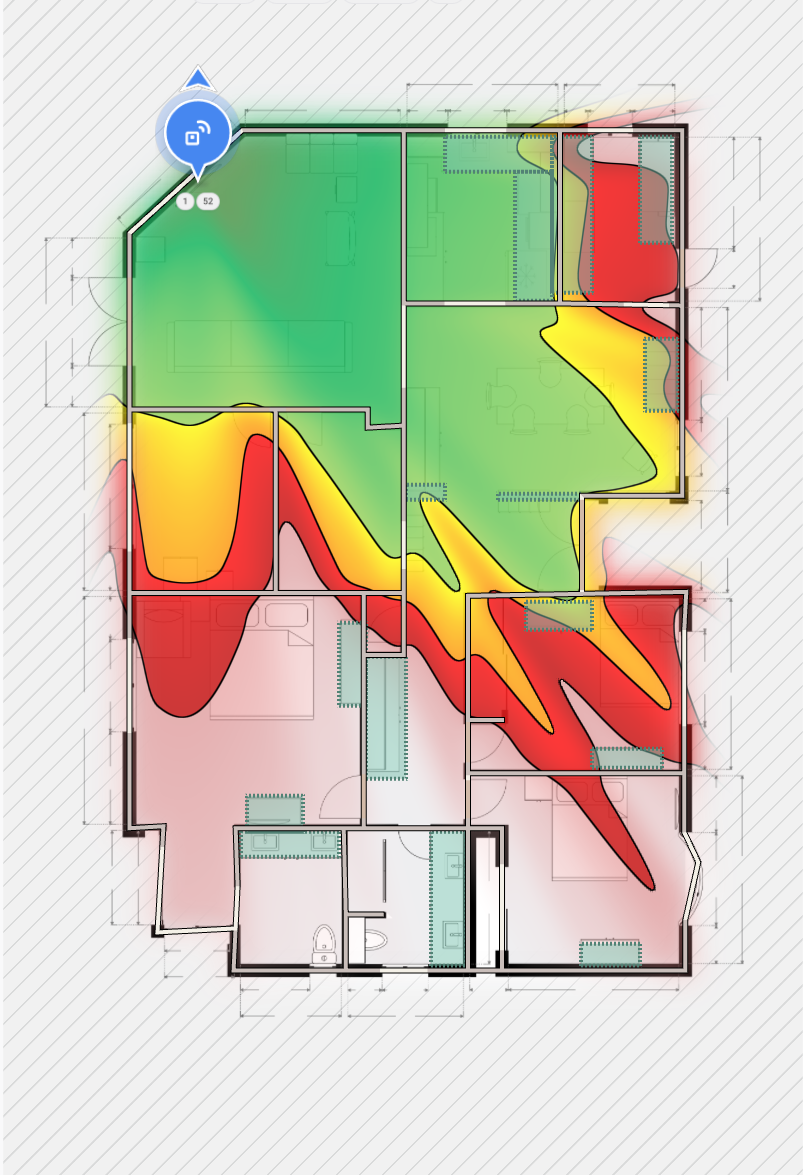
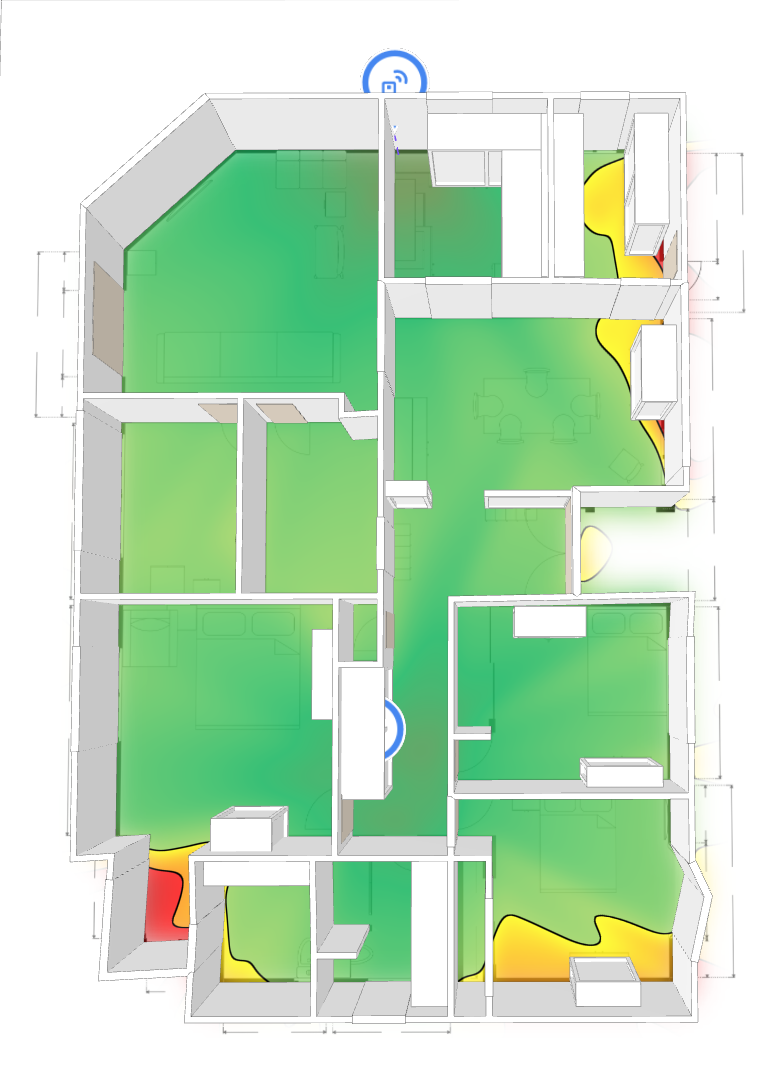
Before Wi‑Fi Heatmap
Pre‑installation survey showing weak zones and drop‑offs.
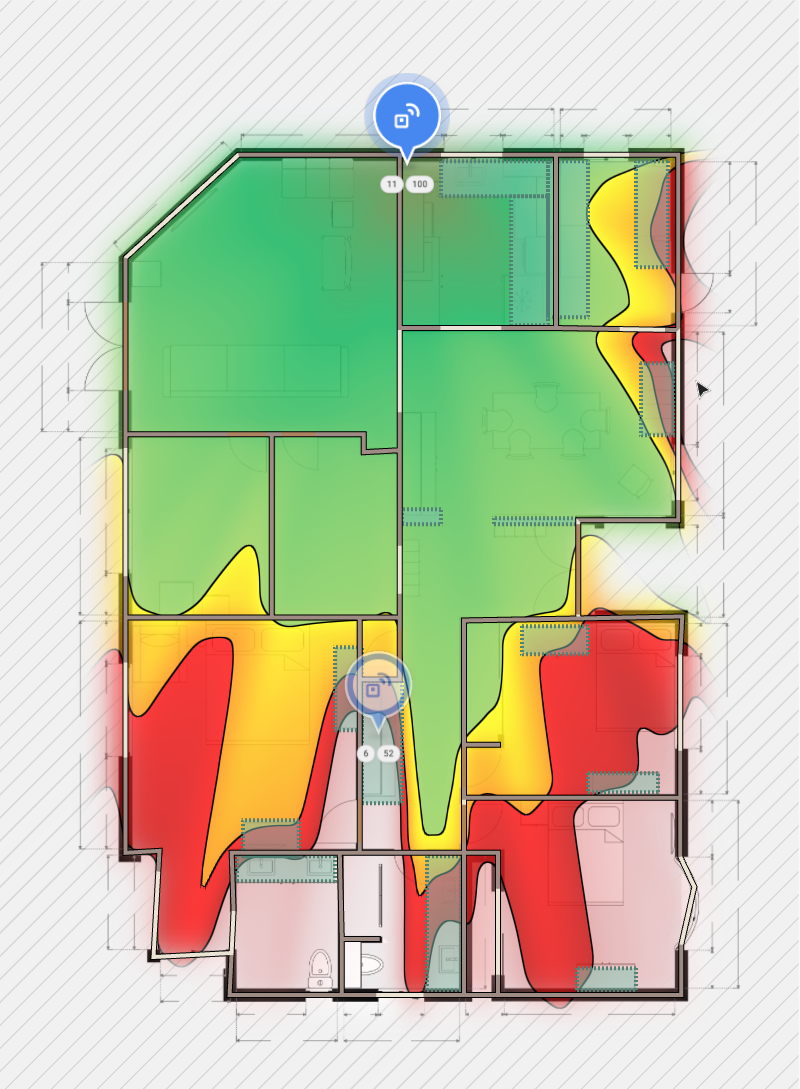
Proposed AP Placements
Modeled placements to deliver uniform signal and capacity.
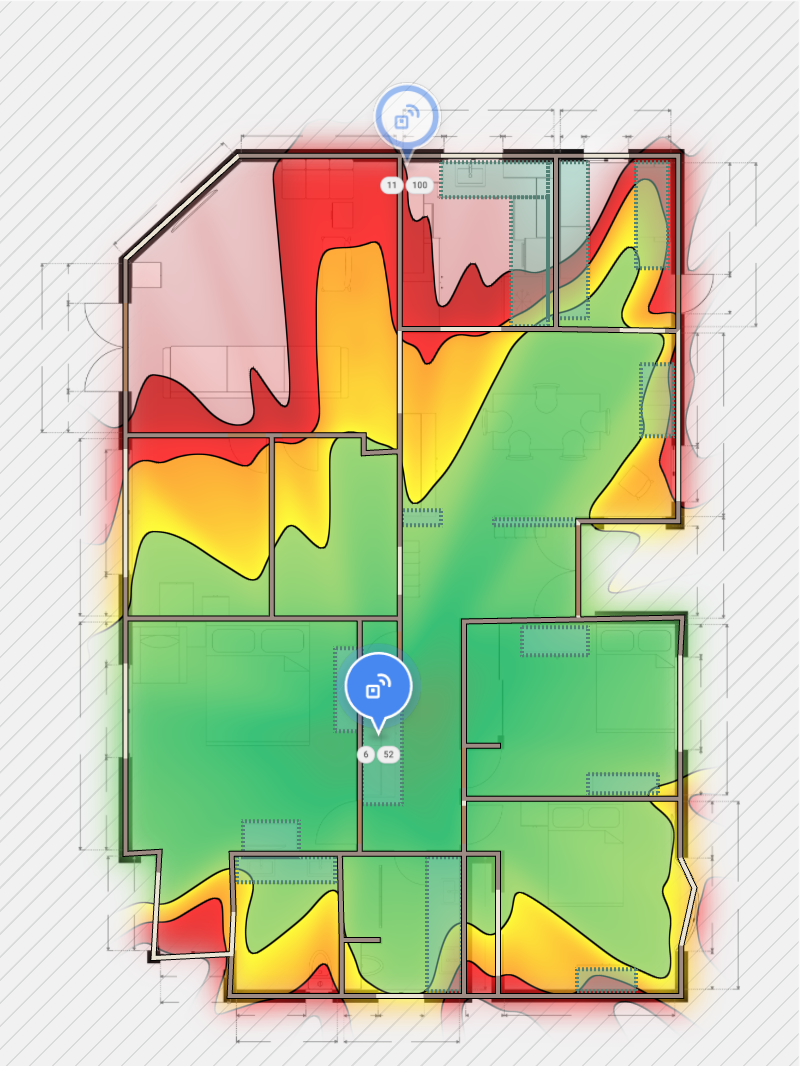
After Wi‑Fi Heatmap
Post‑installation validation showing full coverage after completion.
On‑Site Consult Pricing
$150 flat fee for an on‑site consult. If you move forward with the final installation, this fee is credited back as a discount on your project total.
- Includes floor plan capture/refinement
- Baseline Wi‑Fi survey and notes
- AP selection and placement plan
- Post‑install validation report
A Proven Approach for Reliable Wi‑Fi
Transparent, engineering‑first workflow for predictable results in real homes.
1) Floor Plan Creation
I create or refine a clear floor plan of your home. Accurate dimensions and materials matter for predictive Wi‑Fi modeling.
2) Baseline Wi‑Fi Mapping (Before)
I run a professional site survey to capture current coverage, noise, and interference. This produces a “before” heatmap that highlights dead zones.
3) AP Selection & Placement Plan
I evaluate the right access points and model different placements. The goal is uniform signal strength and capacity in high‑use areas.
4) Deployment & Post‑Install Validation
I install and configure the APs, then validate with an “after” heatmap to confirm the plan delivers consistent coverage and throughput.
Mesh Wi‑Fi Installation in Nocatee & Northeast Florida
From high-end residences in Nocatee to waterfront homes in Ponte Vedra Beach, SunnyShoresIT engineers whole-home mesh Wi‑Fi that keeps streaming, work-from-home, and smart-home devices online without buffering. We specify UniFi gateways, PoE switching, and ceiling-mount access points, then validate everything with before-and-after heatmaps so you can see real performance gains.
Our approach blends predictive design software, on-site measurements, and enterprise provisioning. Whether you are moving into a new Toll Brothers build or renovating a coastal property, we build a network plan that accounts for concrete block, radiant barriers, and large square footage. Already invested in UniFi or Eero? We audit the existing design, document RF issues, and provide a punch list to stabilize coverage.
Deliverables You Receive
- Custom floor plan with AP placements and cabling notes
- Predictive heatmaps showing 2.4 GHz and 5 GHz coverage
- Hardware bill of materials with UniFi model recommendations
- Post-install validation report documenting speed and roaming
Service Areas
We prioritize Nocatee neighborhoods such as Del Webb, Coastal Oaks, and Anthem Ridge along with Ponte Vedra Beach, Jacksonville Beach, and St. Johns County communities. Remote planning and virtual consultations are available nationwide.
Mesh Wi‑Fi FAQs
Do you install mesh Wi‑Fi systems in Nocatee and the Ponte Vedra area?
Yes. SunnyShoresIT is based in Northeast Florida and focuses on luxury residences in Nocatee, Ponte Vedra, Ponte Vedra Beach, and Jacksonville. We handle on-site predictive surveys, UniFi hardware selection, and full installation.
What makes your mesh Wi‑Fi design different from big-box installers?
Every engagement starts with a professional Ekahau-style site survey, custom floor plan, and predictive heatmap. We model signal strength, noise, building materials, and roaming behavior before touching hardware, ensuring the UniFi network is right the first time.
Can you work with existing UniFi or Eero equipment?
We optimize what you already have, but often recommend upgrading to UniFi gateways, PoE switching, and ceiling-mount access points for consistent roaming and throughput in large homes. We document the before/after results so you can see the improvement.
Do you provide reports for builders or HOA approvals?
Absolutely. You receive a written installation plan, coverage maps, and a post-install validation report that can be shared with builders, architects, or HOA boards to demonstrate professional design standards.
Ready for Rock‑Solid Wi‑Fi?
Get your personalized floor plan, AP placement strategy, and a validated after report.